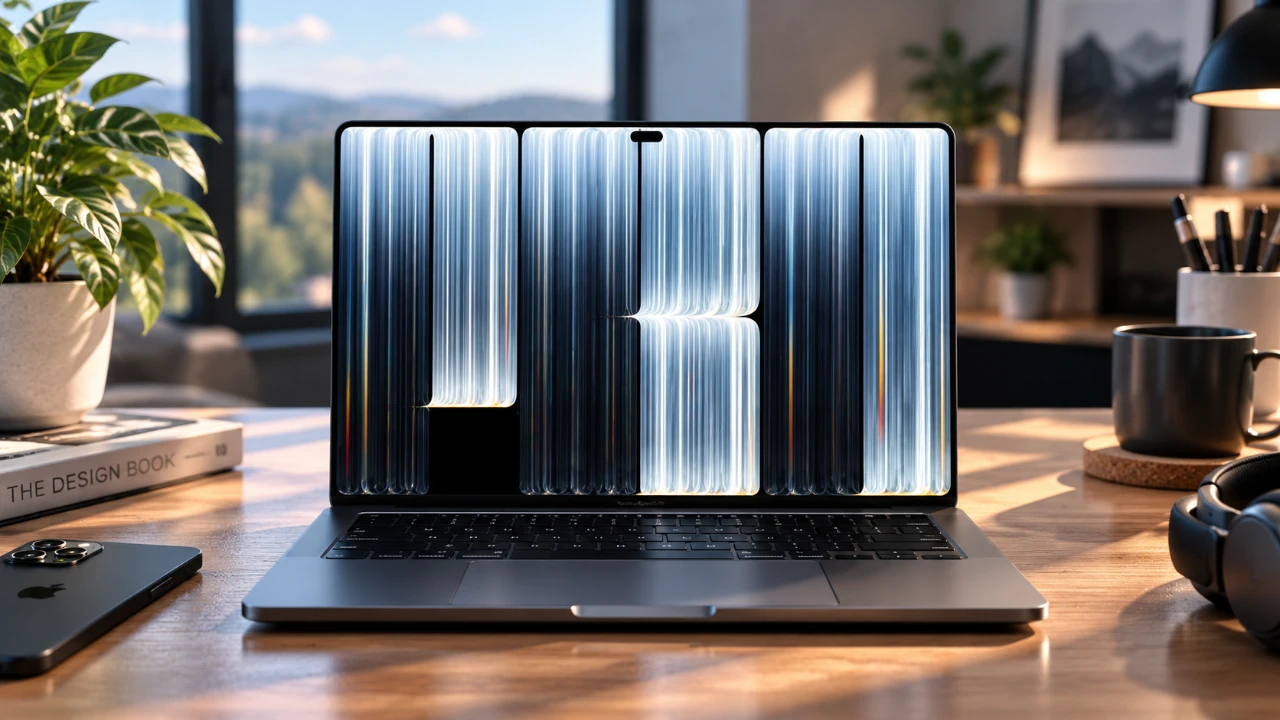
Apple’s latest OLED MacBook Pro introduces a refined design and enhanced battery efficiency, distinguishing it from the legacy Mini LED variant. While both models deliver nearly identical performance across benchmarks, the OLED version offers notable upgrades in display technology, touchscreen support, and portability. If you’re contemplating an upgrade, understanding the differences between these models is essential for making an informed decision.
TL;DR Key Takeaways :
- Tandem OLED Touchscreen: Brings touch functionality and infinite contrast ratios to the MacBook Pro lineup for the first time.
- Thinner & Lighter Build: Sheds physical bulk significantly while transitioning the camera notch into a functional Dynamic Island layout.
- M5 Pro & Max Parity: Retains blistering silicon performance speeds that closely match older thermal layouts under standard loads.
- Exquisite Battery Endurance: Delivers incredible web-surfing longevity exceeding 21 hours on the 16-inch configuration.

Design and Display: Elevating Visual Standards
The defining feature of the OLED MacBook Pro is its advanced tandem OLED display, which provides richer colors, deeper contrast and improved visual fidelity compared to the Mini LED version. This makes it particularly appealing for professionals such as video editors, photographers and graphic designers who require precise color accuracy for their work. The OLED technology enhances the viewing experience, offering more vibrant visuals and better clarity, especially in HDR content. Furthermore, this generation introduces direct touchscreen support to macOS alongside a space-saving Dynamic Island cutout replacing the traditional camera notch.
Externally, the design adheres to Apple’s signature minimalist aesthetic, maintaining a sleek and professional appearance while trimming down overall chassis thickness and weight. This makes the new model slightly lighter, providing a more portable option for users frequently on the move. Despite the display upgrade and form-factor tweaks, the overall build quality remains consistent with previous generations, ensuring familiarity for long-time users.
Battery Life: Efficiency That Matters
One of the most practical advantages of the OLED MacBook Pro is its improved battery efficiency. Testing indicates that the OLED model delivers noticeably longer battery life compared to the older Mini LED version, with web-surfing longevity scaling past 21 hours on the larger 16-inch configuration. This improvement translates to extended usage for tasks such as video playback, web browsing, and productivity work. For professionals and students who rely on their laptops throughout the day, this enhancement can significantly reduce the need for frequent recharging.
The extended battery life is particularly beneficial for users who travel often or work in environments where access to power outlets is limited. Whether you’re editing videos, attending virtual meetings, or simply streaming content, the OLED model ensures a more reliable and uninterrupted experience.
Performance Benchmarks: Consistent Excellence
Both the OLED and Mini LED models are powered by the same internal specifications, including the M5 Max chip, 128GB of RAM, and 4TB of storage. Performance benchmarks reveal minimal differences between the two, underscoring Apple’s commitment to delivering consistent hardware performance across its lineup:
- CPU Performance: Tools like Geekbench and Cinebench show negligible differences, with both models excelling in multi-core and single-core tasks.
- GPU Performance: Benchmarks in Geekbench Metal, 3DMark, and Blender confirm comparable graphical capabilities, making both models suitable for demanding tasks such as 3D rendering and gaming.
- Storage Speeds: Blackmagic tests indicate similar read and write speeds, making sure fast file transfers and seamless workflows.
- AI Processing: Both models handle AI-driven tasks, such as machine learning workflows and token generation, with equal efficiency.
- Video Editing: Rendering and exporting times in professional software like Final Cut Pro and DaVinci Resolve are virtually identical, making sure smooth performance for video editors.
- Gaming Performance: Frame rates in graphically intensive games like Cyberpunk 2077 remain consistent, even on ultra settings, providing a reliable gaming experience.
These results confirm that the choice between OLED and Mini LED models will not significantly impact raw processing performance, as both deliver exceptional capabilities for a wide range of professional and personal tasks.
Thermal Management: Subtle Improvements
The OLED MacBook Pro demonstrates slightly better thermal efficiency under moderate workloads, operating at marginally cooler temperatures than the Mini LED version. This improvement is attributed to the OLED display’s lower power consumption in darker interface states, which generates less heat during prolonged use. However, under sustained maximum high-power output, the thinner chassis footprint can cause internal fans to ramp up slightly higher compared to legacy predecessors.
Both models excel in thermal management, making sure sustained performance without overheating. Whether you’re running intensive applications or multitasking, the MacBook Pro’s advanced cooling system maintains optimal performance levels.
Choosing the Right Model for Your Needs
Deciding between the OLED and Mini LED MacBook Pro models ultimately depends on your specific requirements and priorities. Each model offers distinct advantages tailored to different user preferences:
- Opt for the OLED model if you prioritize superior display quality, integrated touchscreen controls, and longer battery life. This version is ideal for professionals who demand accurate visuals, such as video editors, graphic designers, and photographers, as well as users who need extended battery performance for on-the-go productivity.
- Choose the Mini LED model if you seek the same high-level performance at a more affordable price point. This option is well-suited for users who do not require the enhanced display features or touch input but still want a powerful and reliable laptop for everyday tasks.
For those who already own a recent MacBook Pro equipped with M3, M4, or M5 chips, upgrading to the OLED version may not provide a massive computational performance boost. In such cases, evaluating whether the physical redesign and panel technology justify the investment is key.
Final Thoughts: Balancing Features and Value
The OLED MacBook Pro stands out with its enhanced display quality, innovative touchscreen integration, and improved battery life, making it an excellent choice for users who prioritize these cutting-edge features. However, the core computing performance differences between the OLED and Mini LED models are minimal, positioning the Mini LED version as a more budget-friendly alternative without compromising on core power or functionality.
Regardless of which model you choose, both deliver exceptional performance, making sure that Apple’s MacBook Pro lineup continues to set a high standard for professional laptops. Whether you’re a creative professional, a student, or a business user, the MacBook Pro offers a versatile and reliable solution for your computing needs.
Explore further guides and articles from our vast library that you may find relevant to your interests in the OLED MacBook Pro.
- Inside the OLED MacBook Ultra: Why These 7 Leaks Change Everything
- Why Apple’s Rumored MacBook Studio Changes Everything
- Leaked OLED MacBook Pro Marks Apple’s Biggest Mac Shift in Years
- The OLED MacBook Pro Is Finally Confirmed for October, And It Changes Everything
- Apple Officially Confirms New Macs Are Arriving Next Week
Source: Matt Talks Tech
Disclosure: Some of our articles include affiliate links. If you buy something through one of these links, Geeky Gadgets may earn an affiliate commission. Learn about our Disclosure Policy.
